How to keep track of job applications on your phone
A simple method for tracking job applications on your phone, with stages, next actions and a twice-weekly review, plus how Planwell does it on iPhone.
, 6 min read
Available on iOS
Planwell is an iPhone app with fifteen trackers for weight, sleep, money, habits, films and more. Switch on the ones you want, then say it or snap it. The assistant does the typing.
7 days free, then from US$3.99 a month.
Needs iOS 18 or later.
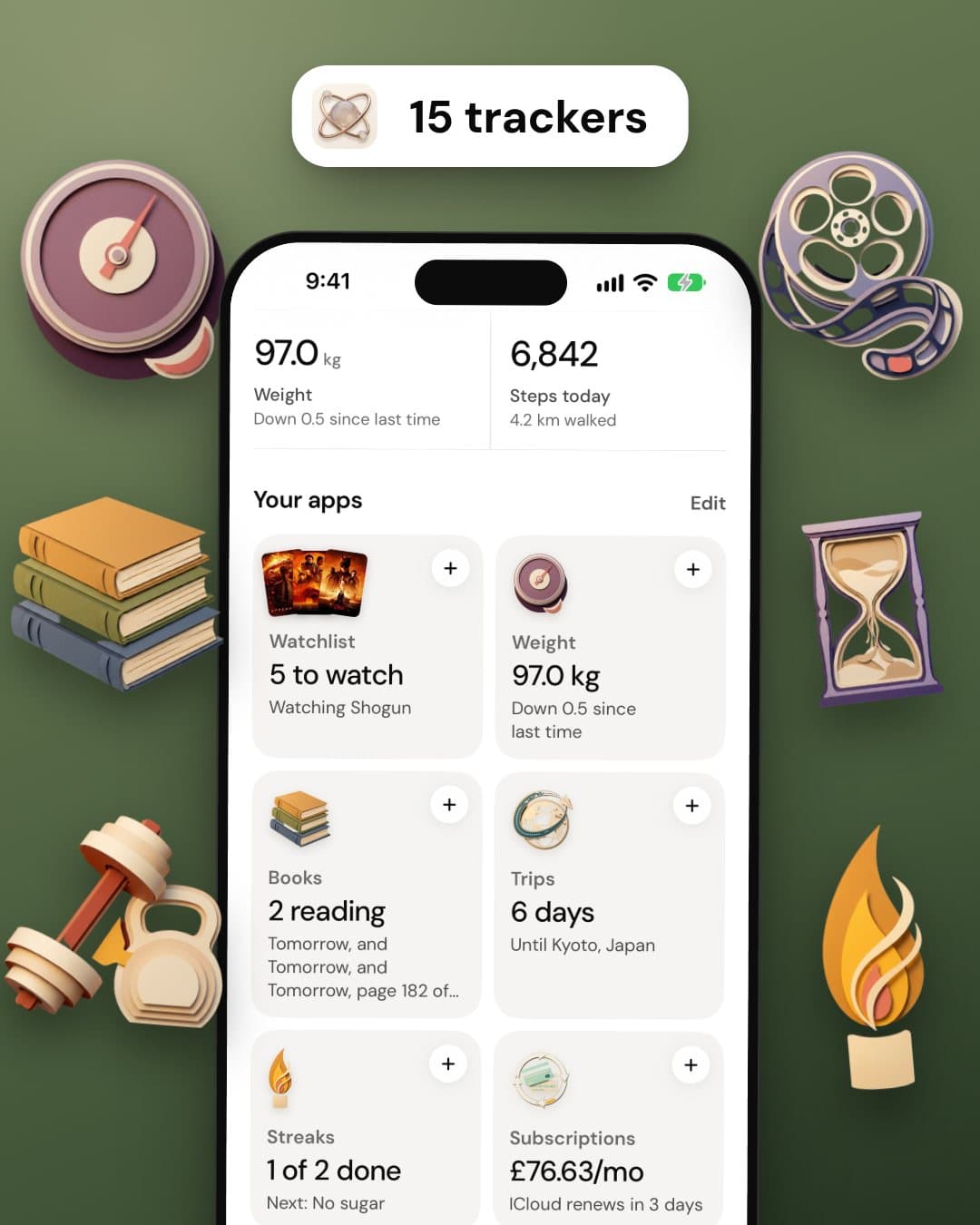
Fifteen trackers, one home. Weight, sleep, money, habits, films and more. Switch on the ones you use and the rest never appear.
Say it or snap it. Tell Planwell what happened, or photograph the receipt. The entry lands in the right tracker.
One nudge at a time. A renewal in three days, a habit not yet done, a trip next week. Answer with one tap.
A proper page for each. Subscriptions, habits, sleep, meals, countdowns. Every tracker is built for its own job.
Each one is a small, focused tool with its own page. Whatever you leave off never appears, so the app is only ever as big as you need it to be.
The numbers that usually end up in four different apps.
A goal, a trend, every entry.

Hours and quality each night.

Programmes, sets and history.

Calories and macros per day.
What you spend, and what renews without asking.

Spending by category.
Renewals and a monthly total.
A tap a day, a year on one grid.

Daily check-ins and streaks.

Start with three. Add more when you need them.
The plans, searches and lists that otherwise live in your notes.

From first idea to booked.

Saved, toured, offered on.
Each application, each stage.

What you read and how far in.

Films, shows and weekly picks.

Saved from a link or a photo.
Moving day, packing, anything.

Down to the second.
A subscription is a renewal date and a price. A habit is a streak. Sleep is a week of nights. Each tracker is laid out for the thing it holds.

One monthly total in your own currency, and the next charges listed days before they land.

Check in with one tap and watch the streak grow, with a year of check-ins on one calendar grid.

Hours, quality and a weekly average, entered in a sentence or read from Apple Health.

Calories, protein, carbs and fat for each day, planned by typing or from a photo of a menu.

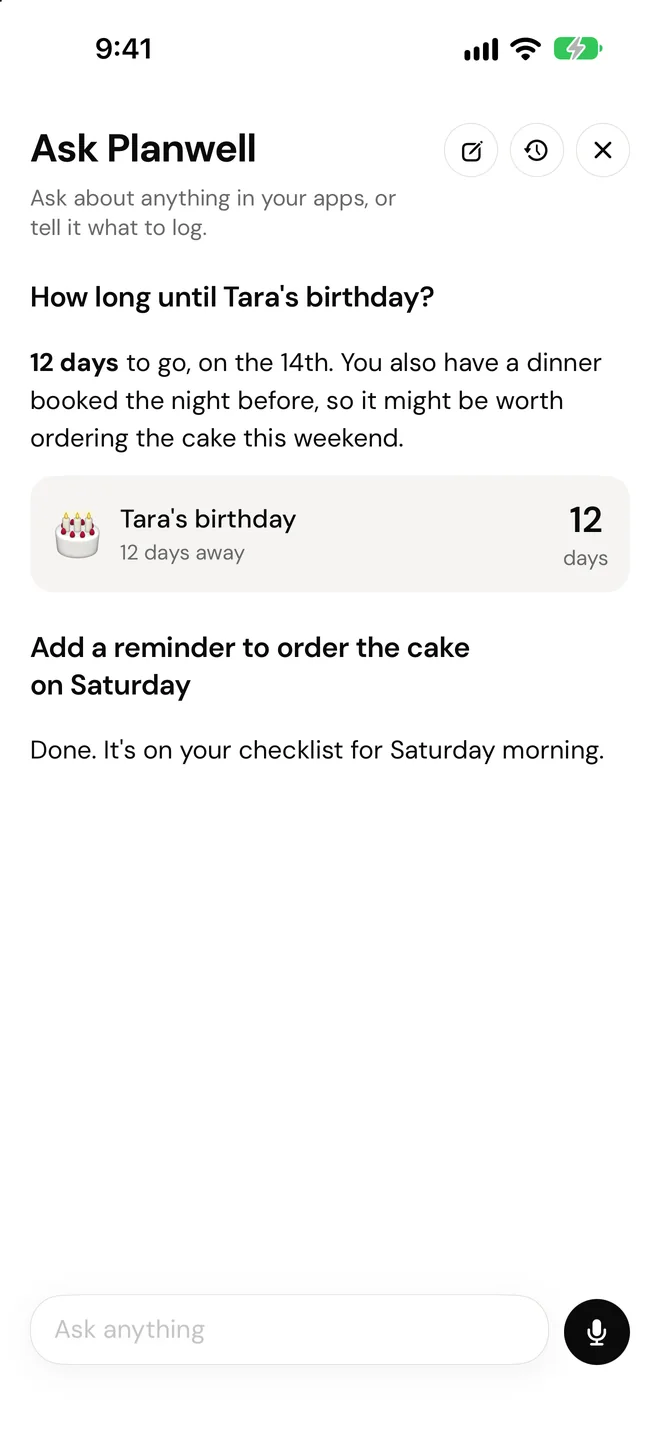
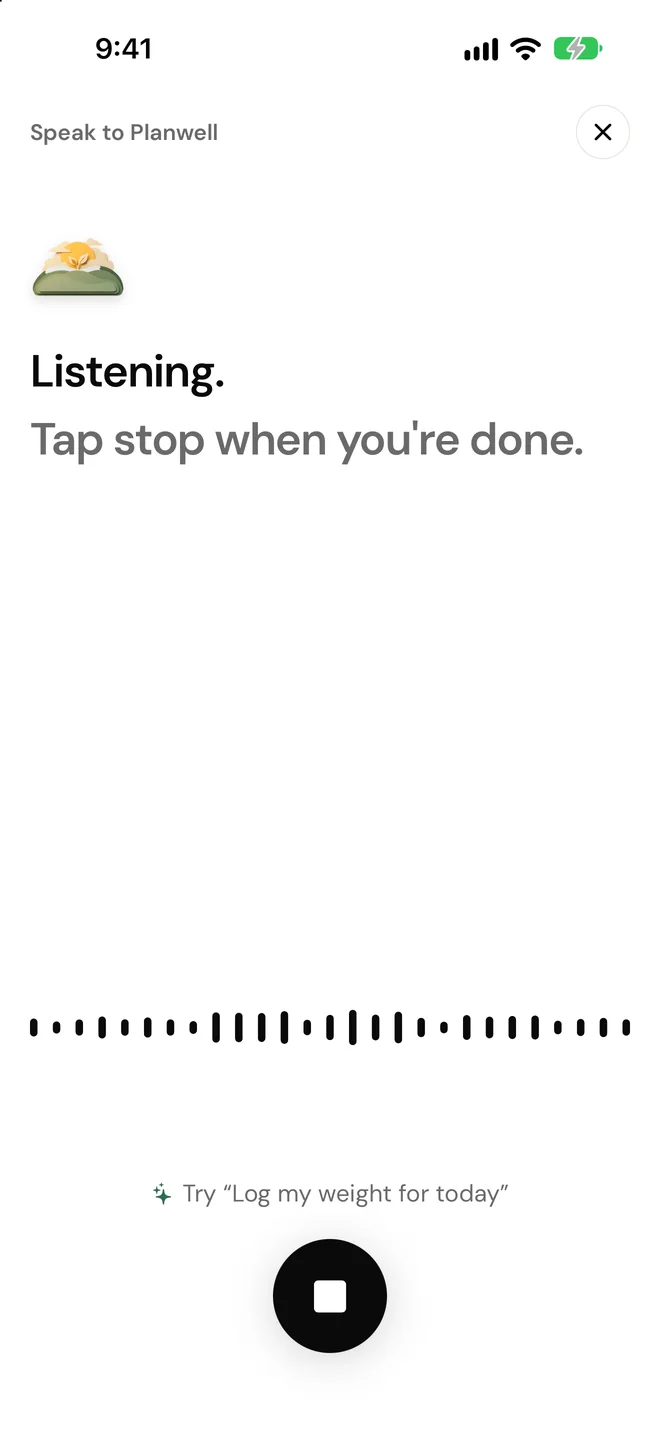
Tracking usually dies at the form. So Home has one bar: type or speak in plain words and the entry goes to the right tracker. It can add, edit and delete across all fifteen, and answer questions from what you have recorded.
“Ran 5k this morning, felt good.”
The run is logged in Workouts. No form, no menus.
“How long until Tara’s birthday?”
It answers from your own countdowns and entries.
A photo of a receipt.
The expense is filed. A recipe page or a menu works the same way.
The assistant only runs when you start it, and it sends only the part of your data the question needs. It can be wrong, so check anything that matters.
Home opens on the one thing that needs you today, with the answer a tap away. A renewal, a habit, a trip, a show you paused. One at a time, never a pile.
Renewing soon
£2.99 is about to leave your account. Still worth it?
Last one
Last one today. Finish it and the whole day turns green.
6 days to go
Bookings, packing, plans, anything still open?
Still on
Tell me when you’ve finished and it moves to watched.
A tracker ends up knowing your weight, your sleep and where your money goes. That only works if it stays between you and the app.
Read the privacy policyPlanwell Pro is the whole app. New subscribers get 7 days free, then pay by the month or by the year. There are no tiers and nothing is held back.
Monthly
US$3.99 /month
7 days free, then billed each month.
Yearly
US$39.99 /year
7 days free, then billed once a year. Works out at US$3.33 a month.
US prices shown. Prices vary by country, and your local price is shown in the app before you buy. One free trial per Apple Account. Payment is charged to your Apple Account and renews automatically unless cancelled at least 24 hours before the trial or period ends, in Settings, Apple Account, Subscriptions.
Anything else, write to us from the support page and a person will answer.
Planwell is an iPhone app that keeps fifteen trackers in one place: weight, sleep, workouts, meal plan, expenses, subscriptions, trips, houses, job applications, books, a watchlist, recipes, checklists, countdowns and habits. You switch on the ones you want, and an assistant logs entries for you when you say or type what happened.
No. Planwell needs a Planwell Pro subscription, which costs US$3.99 a month or US$39.99 a year. New subscribers get the first 7 days free and can cancel before the trial ends without paying. Prices vary by country, and your local price is shown in the app before you buy.
Planwell is available on iOS and needs an iPhone running iOS 18 or later. There is no Android app yet, although one is coming, and there is no web app.
You type or speak in plain language, for example "ran 5k this morning, felt good", and Planwell logs the entry in the right tracker. It can add, edit and delete entries across every tracker, and answer questions about what you have recorded. In Expenses, Recipes, Meal plan and Workouts you can also photograph a receipt, a recipe page or a menu. It only runs when you start it, and it can be wrong, so check anything that matters.
Yes, if you allow it. Access is optional and read only: Planwell reads steps, walking and running distance, and sleep. It never writes to Apple Health, and every feature works if you decline.
Your entries sit in your own account. There are no ads and no data brokers, and nothing is sold. When you use the assistant, the part of your data that is relevant to your question is sent to Anthropic to produce the answer, with your permission, and it is never used to train an AI model. You can delete your account and everything in it from Profile in the app.
No. Tapping Get started creates a guest account with no email, name or password, and guests can subscribe and use everything. You can turn it into a full account later and keep your data.
Planwell Pro is billed through your Apple Account, so you cancel it in Settings, under your name, then Subscriptions. Cancel at least 24 hours before the trial or the current period ends. You keep Pro until the time you have already paid for runs out.
A simple method for tracking job applications on your phone, with stages, next actions and a twice-weekly review, plus how Planwell does it on iPhone.
, 6 min read
Find out which dates deserve a countdown, how far ahead each kind needs attention, and how to pair one with a short checklist, using Planwell on iPhone.
, 6 min read
Why sleep, weight and steps are easier to read together, a low-effort routine for recording them, and how Planwell shows all three on iPhone with Health.
, 6 min read
Learn a simple method for capturing recommendations, using three states, and keeping a short to-watch list, then see how Planwell does it on iPhone.
, 6 min read
Available on iOS
7 days free and no sign up needed. Switch on three trackers and say the first thing that comes to mind.
On iPhone now. Android is coming soon.


